
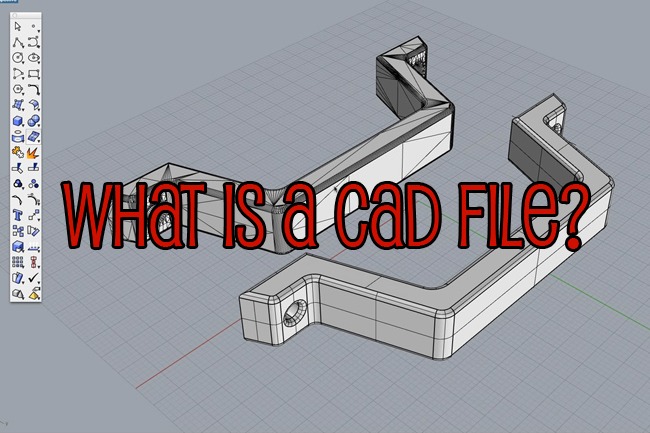
CAD for CNC is the design stage where a part is built as a precise 2D or 3D model. Exact dimensions and tolerances get set inside CAD software, creating the blueprint that CNC machines follow. That first file matters because it sets the baseline for machining accuracy, material use, turnaround time, and overall production efficiency. This holds true whether the job is prototyping or mass production.
Getting from that file to a finished part runs through four types of software: CAD, CAM, control, and simulation. Each one hands off to the next. CAD comes first in that chain, and the CAD file shapes most of what follows. How cleanly a design translates into G-code decides a lot downstream. Rework, scrap, and delay all trace back to that translation step, long before a CNC machine reaches the spindle.
Understanding that first file is essential. This guide starts with the CAD file itself. From there it covers CNC workflow stages, common file formats, CAD software compatibility, and the major CAD/CAM options. It ends with how to choose the right setup for accurate, efficient machining.What Are CAD Files?
CNC CAD, short for computer-aided design, is the design phase where a part exists only as data. Using CAD software, an engineer builds a precise 2D or 3D CAD model with defined dimensions and tolerances. That model takes shape inside a CAD program. The CAD design becomes the exact blueprint for producing the part on a CNC machine. A CAD file is not a rough sketch of what a part might look like. It carries exact geometry instead. Every stage downstream, the CAM program, the tool paths, the CNC machine itself, treats that geometry as ground truth. An incorrect fillet radius or hole position inside a CAD model travels straight through to the finished part. That is one reason clean CAD design reduces material waste later on the shop floor.How CNC CAD Fits into the Workflow
Machining begins long before any cutting tool touches stock. The path from idea to metal runs through three distinct stages. Each stage depends on the accuracy of the one before it.
Design (CAD)
A digital object is built with exact measurements, dimensions, and tolerances, using CAD software such as Fusion 360 or SolidWorks. Every wall thickness, hole diameter, and fillet radius gets locked into the CAD file here. That happens long before a cutting tool touches stock. Mistakes caught inside CAD software are cheap. Mistakes caught later, on an industrial machine running real material, are not.Programming (CAM)
The CAD file moves into CAM software next, short for computer-aided manufacturing. This step sits inside the broader CNC software workflow. The CAM program translates the drawing into tool paths and G-code. Feed rate, spindle speed, cutting tool selection, and cut sequence all get decided inside the CAM software at this point. Generating G-code and toolpath generation sit at the centre of this step. CAM software acts as the translation layer between a static CAD model and a CNC machine that only understands movement. Many CAM programs also include simulation features. Teams use those simulation features to run virtual checks on the machining process before cutting physical material.Execution (CNC)
The CNC machine is built around computer numerical control. It relies on CNC control software to read the programmed instructions. Motors move the spindle or the table with precise control. G-code files guide those movements during machining operations, cutting, milling, or drilling the physical part from raw stock. Whatever happened during CAD design or CAM programming, mistakes finally show up here. On the CNC machine, that usually means scrap material or a wasted machine cycle.Popular CNC CAD File Formats
Not every CAD file format suits every CNC machine or every job. CNC applications differ widely, from routers cutting sheet stock to five-axis mills holding tight tolerances. The right file type depends on which application is in use.STEP (.step / .stp)
The standard exchange file format for solid 3D models, used across most CAD software and CAM programs alike. It preserves exact geometry rather than approximating it. That makes it the safest default file format when sending a design to a machine shop. Most CAD programs export STEP files without trouble, and most CAM software reads them cleanly. Machining centres tend to prefer STEP for both turning operations and precision machining on CNC milling machines.IGES (.iges / .igs)
An older file format, still used for sharing surface geometry data. It predates STEP and can struggle with complex shapes and complex toolpaths built from solid features. Enough legacy CAD software still relies on IGES that most CAM programs keep support for it.STL
A mesh based file format, built from triangulated surfaces rather than true geometry. STL files suit 3D printing and rapid prototyping well, where an approximation of the surface is good enough. For CNC machining, STL is a weaker choice. Tight tolerances and exact curves do not survive translation through a mesh very well.DXF / DWG
2D drawing file formats, frequently used for flat bed CNC routers, laser cutters, and plasma cutters. DXF files tend to travel better between different CAD programs. DWG is AutoCAD's native file type, and not every CAM program reads it directly. For simple 2D artwork destined for a laser cutter, some designers still export from vector tools such as Adobe Illustrator. Those tools suit artistic projects better than dimension-critical CNC work. CAD software remains the standard for anything that needs real dimensional control. Parasolid based file formats such as X_T show up occasionally too. That happens mostly when both sides of a project already work inside SolidWorks or another Parasolid kernel CAD program. They carry precise geometry in a smaller file, though they see far less general use across CNC machines than STEP.CAD Software and CNC Machine Compatibility
A quick look at how the popular CAD programs commonly used in CNC workflows line up against CNC machines, with common CAD export formats including STEP, IGES, and DXF and the table below highlighting their key features:| CAD Software | CAM Integration | Typical Export Format | Learning Curve |
|---|---|---|---|
| Fusion 360 | Built-in CAM | STEP, G-code | Easy |
| SolidWorks | Via SolidCAM | STEP, IGES | Moderate to advanced |
| AutoCAD | Plug-ins required | DXF, DWG | Moderate |
| FreeCAD | Basic CAM included | STEP, IGES | Beginner friendly |
| Siemens NX | Full CAM suite | STEP, Parasolid | Advanced |
Popular CAD/CAM Software Programs for CNC Machining
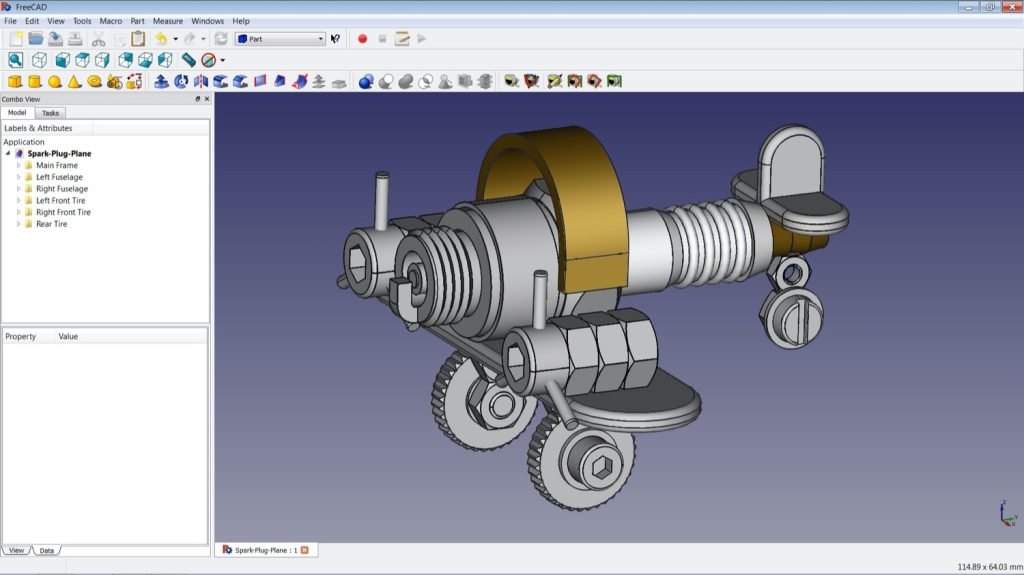
Fusion 360 combines CAD and CAM functionalities in one package. Many other CAM programs cover most CNC work today, alongside other CAD programs built for narrower use cases. Each one tends to suit a different type of shop. That ranges from a small business running one mill to an enterprise floor with dozens of industrial machines.